> ## Documentation Index
> Fetch the complete documentation index at: https://docs.lekalao.com/llms.txt
> Use this file to discover all available pages before exploring further.
# Finding your way around
> The navigation, the command palette and the keyboard shortcuts.
## The navigation
The sidebar reaches everything:
| Entry | Holds |
| ----------------- | -------------------------------------------------------------------------------------------------- |
| **Dashboard** | Audience figures, the subscriptions chart, the latest campaigns, the next steps. |
| **Contacts** | The lists, their subscribers, tags, segments, imports, exports and settings; the suppression list. |
| **Campaigns** | The campaigns, and a comparison of their results. |
| **Feeds** | The campaigns created automatically from an RSS feed. |
| **Automations** | The journeys and their e-mails. |
| **Transactional** | The log of transactional e-mails and their templates. |
| **Templates** | The layouts you reuse. |
| **Settings** | Mailers, deliverability, team, billing, tokens, webhooks, brand, privacy, maintenance, profile. |
| **Platform** | For the administrators of an installation that holds several customers. |
At the top of the sidebar, the **team switcher** shows the current team and its plan, and moves you to another team. At the bottom, your profile and the way out.
The **breadcrumb** at the top of each page says where you are (*Campaigns › Bread festival › Delivery*), and every step is clickable.
## The command palette
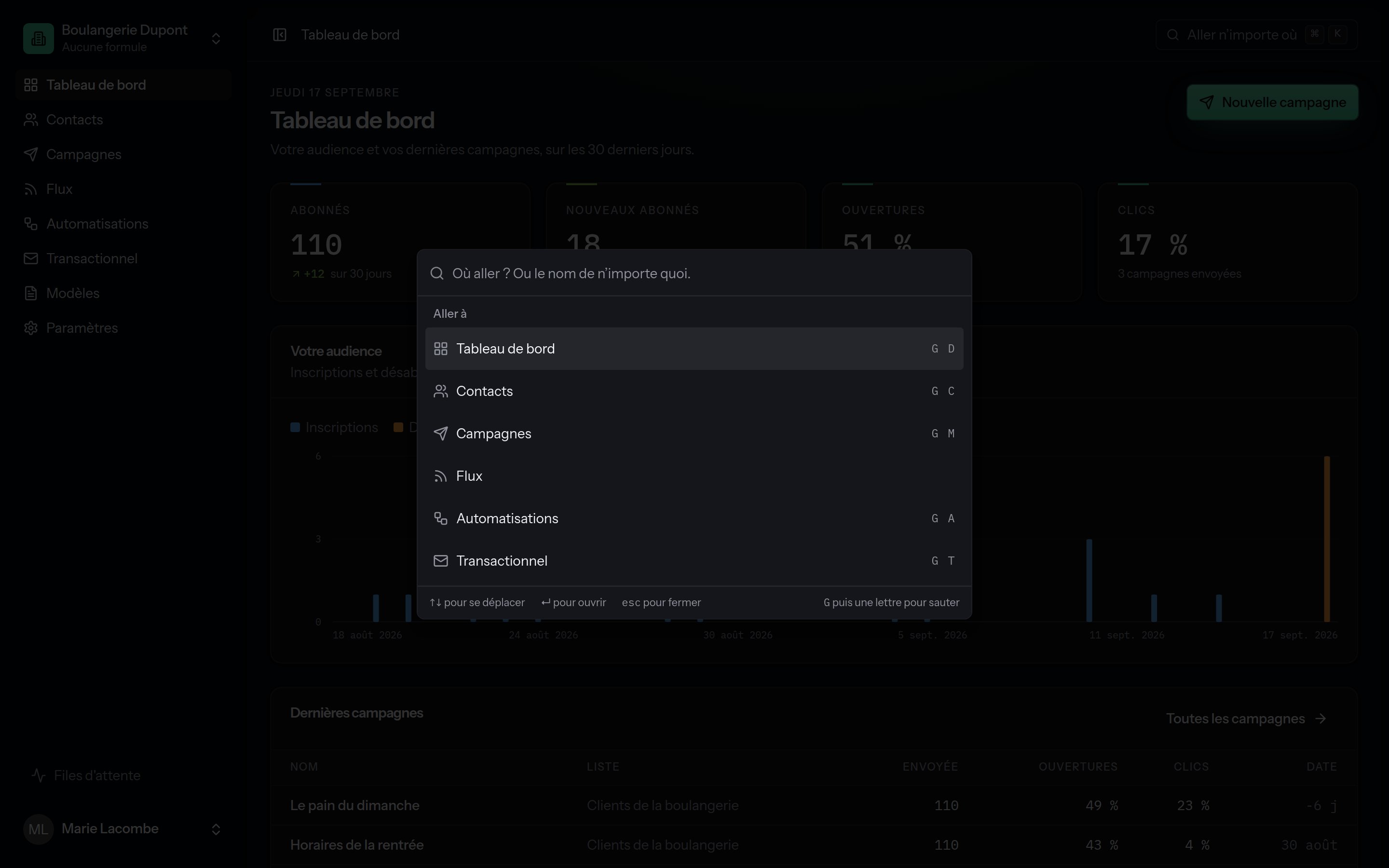 Press ⌘ K (or Ctrl K), or click **Go anywhere** at the top right. The palette:
* goes to any page or setting;
* creates a campaign, a list, an automation or a template;
* **finds your campaigns, lists, automations and subscribers by name** from two letters typed;
* keeps the places you went to recently;
* switches between the light and dark themes.
## The keyboard shortcuts
Outside a text field:
| Shortcut | Effect |
| ------------------------------ | ------------------------- |
| ⌘ K | Open or close the palette |
| / or ? | Open the palette |
| G then D | Dashboard |
| G then C | Contacts |
| G then M | Campaigns |
| G then A | Automations |
| G then T | Transactional |
| G then S | Settings |
Inside an e-mail editor:
| Shortcut | Effect |
| ------------------------- | ---------------- |
| ⌘ S | Save |
| Esc | Leave focus mode |
## The tables
A table row that leads somewhere is clickable across its whole width; ⌘-click (or Ctrl-click) opens it in a new tab, and Enter opens it from the keyboard. Recent dates are shown as "2 h ago"; hover for the exact one.
## The side panels
Creating a list, a subscriber, a campaign, an automation, a token or a webhook opens a **side panel** rather than a new page: what you were looking at stays in view. These panels have an address of their own: `/campaigns?new=1` opens the one for a new campaign directly.
## Theme and language
**Settings → Appearance and language**: the light theme, the dark one or your device's, and the language of the interface. See [Profile and security](/account/profile-and-security).
Press ⌘ K (or Ctrl K), or click **Go anywhere** at the top right. The palette:
* goes to any page or setting;
* creates a campaign, a list, an automation or a template;
* **finds your campaigns, lists, automations and subscribers by name** from two letters typed;
* keeps the places you went to recently;
* switches between the light and dark themes.
## The keyboard shortcuts
Outside a text field:
| Shortcut | Effect |
| ------------------------------ | ------------------------- |
| ⌘ K | Open or close the palette |
| / or ? | Open the palette |
| G then D | Dashboard |
| G then C | Contacts |
| G then M | Campaigns |
| G then A | Automations |
| G then T | Transactional |
| G then S | Settings |
Inside an e-mail editor:
| Shortcut | Effect |
| ------------------------- | ---------------- |
| ⌘ S | Save |
| Esc | Leave focus mode |
## The tables
A table row that leads somewhere is clickable across its whole width; ⌘-click (or Ctrl-click) opens it in a new tab, and Enter opens it from the keyboard. Recent dates are shown as "2 h ago"; hover for the exact one.
## The side panels
Creating a list, a subscriber, a campaign, an automation, a token or a webhook opens a **side panel** rather than a new page: what you were looking at stays in view. These panels have an address of their own: `/campaigns?new=1` opens the one for a new campaign directly.
## Theme and language
**Settings → Appearance and language**: the light theme, the dark one or your device's, and the language of the interface. See [Profile and security](/account/profile-and-security).