

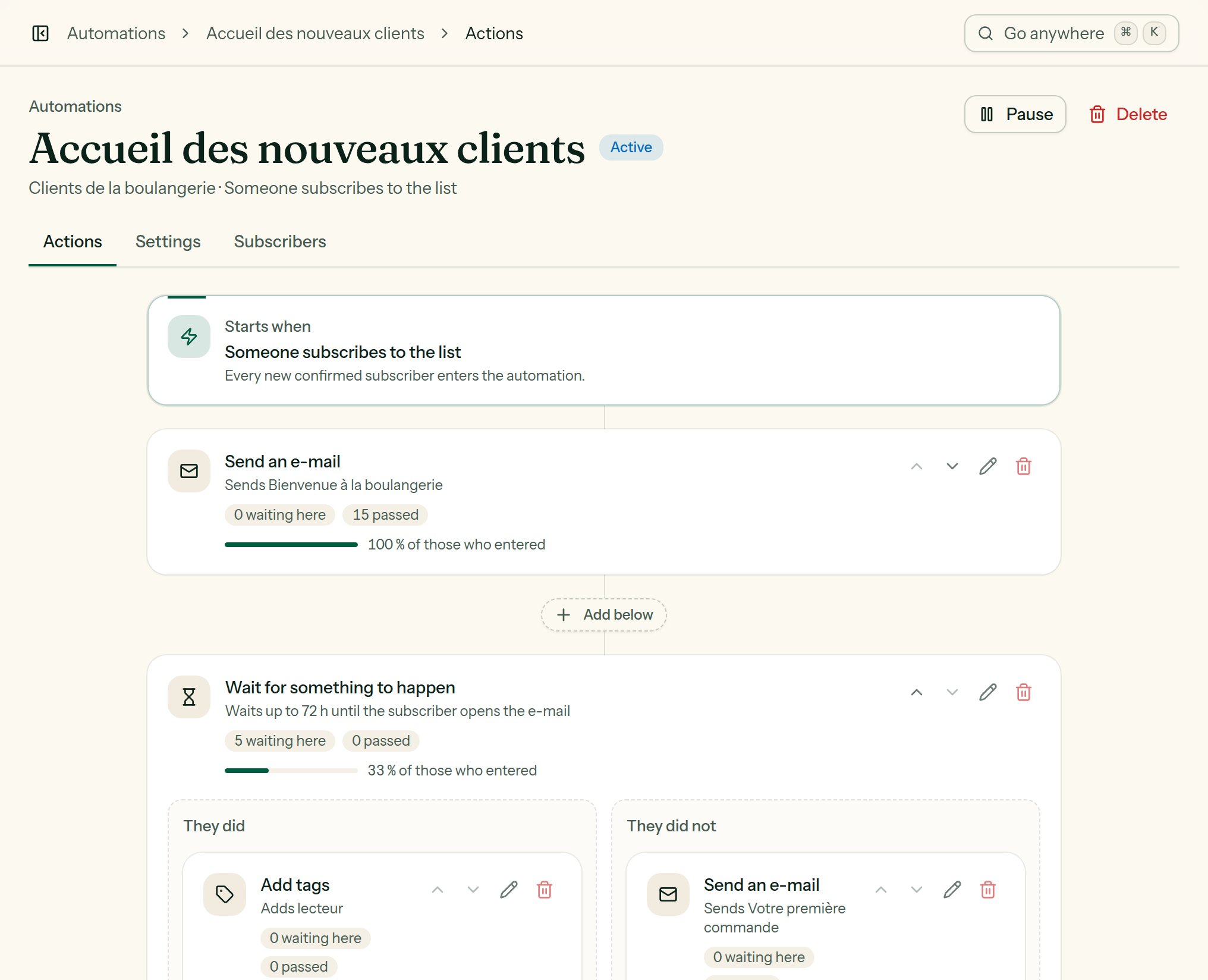
The action editor: a condition opens two columns.
Wait
Holds the subscriber for a while before the next action.Wait for something to happen
Gives the subscriber time to act, then takes one path or the other: They did / They did not.choice
required
- They open an e-mail of the automation; - They click in an e-mail of the automation; - They get a tag; - They buy something (a sale reported since they started waiting).
hours
Past that, it is the They did not path. Lekalao looks again every 15
minutes; as soon as the thing happens, the subscriber takes They did
without waiting for the time to run out.
Send an e-mail
Sends one of your automation e-mails, in the subscriber’s language, through the automations’ provider, at that provider’s pace. An e-mail deleted in the meantime is simply skipped.Add tags / Remove tags
One tag or several. A tag added that does not exist on the list yet is created. Adding a tag can set off another automation.If / else
Two paths, Yes and No, depending on the subscriber:minutes
default:"0"
For a condition about an e-mail: wait before checking, to give them time to
open it. To wait for one particular thing with a deadline, the Wait for
something to happen action fits better.
A/B split
Splits the subscribers at random between Path A and Path B, on a percentage (50 % by default). To compare two series of e-mails, look at their statistics side by side afterwards.Subscribe to another list
Also subscribes the person to another list of the team, without confirmation, with their first and last name. A blocked address is not subscribed; the journey carries on.Unsubscribe
Unsubscribes the person from the automation’s list. Useful at the end of a win-back journey.Call a webhook
Sends a JSONPOST to the address you give: