

Add a mailer
Add a mailer, then:Mailer
A name (“SES production”) and the kind. The form then shows the fields of that kind.Credentials
Stored encrypted in the database. On a mailer that already exists, a secret already saved shows as “Saved — leave empty to keep it”.
For SMTP, port 465 is SSL/TLS and ports 587 and 25 are STARTTLS. Some providers (Zoho ZeptoMail among them) call 587 “TLS”. On these ports, an encryption that cannot work gives way to the port: 465 always uses SSL/TLS, and SSL/TLS on 587 or 25 uses STARTTLS, still refusing to send unencrypted. On any other port, the encryption chosen is used as it is.
Feedback
What the provider sends back: deliveries, bounces, complaints. See Provider feedback. Depending on the kind, a signing secret field appears (Mailgun, SendGrid, Resend). The Webhook URL appears once the mailer is saved.Sending rate
The largest number of e-mails per period, written “N e-mails every N seconds”: 14 e-mails every 1 second for SES out of its sandbox, say. Leave it empty for no limit. Lekalao keeps to it for campaigns and automations; beyond it, e-mails wait their turn.Testing
On a mailer’s page, Test the mailer: an address, then Send a test e-mail. The result appears (Working, or Test failed with the provider’s exact error; Not tested before the first attempt) and the date of the last test is kept. The test uses what is saved: after changing a field, Save before testing again.Warming up a new sender
A domain or an address nobody has heard of that sends its whole list on the first day looks, to a receiver, exactly like a spammer. On the mailer’s page, Start warming up today holds its campaigns to a daily volume that grows for twelve days: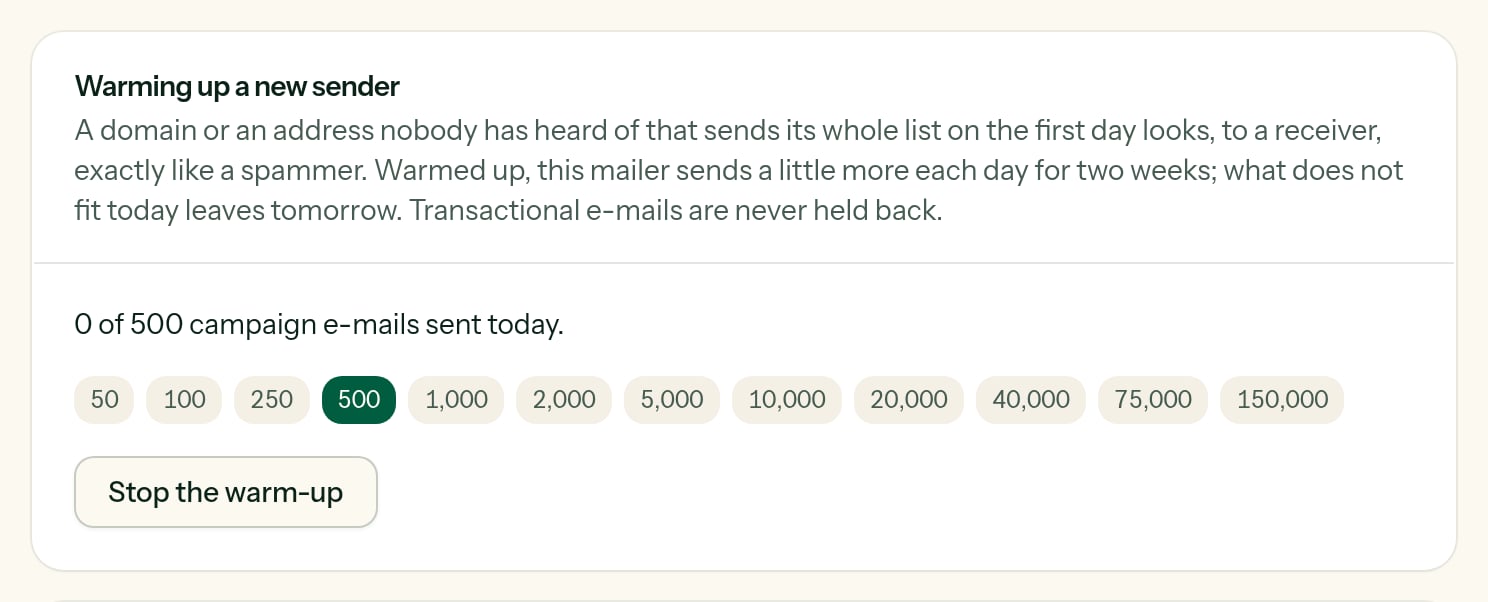
The fourth day of a warm-up: 500 campaign e-mails today.
What does not fit in a day is not lost and not failed: it waits for the next morning, and the campaign carries on by itself. Transactional e-mails — a password, a receipt — are never held back. After the twelfth day the mailer sends without a daily limit; Stop the warm-up ends it sooner.
A provider per kind of sending
Below the list of mailers, Mailer per sending type:
“Use the default mailer” leaves the choice to the default.