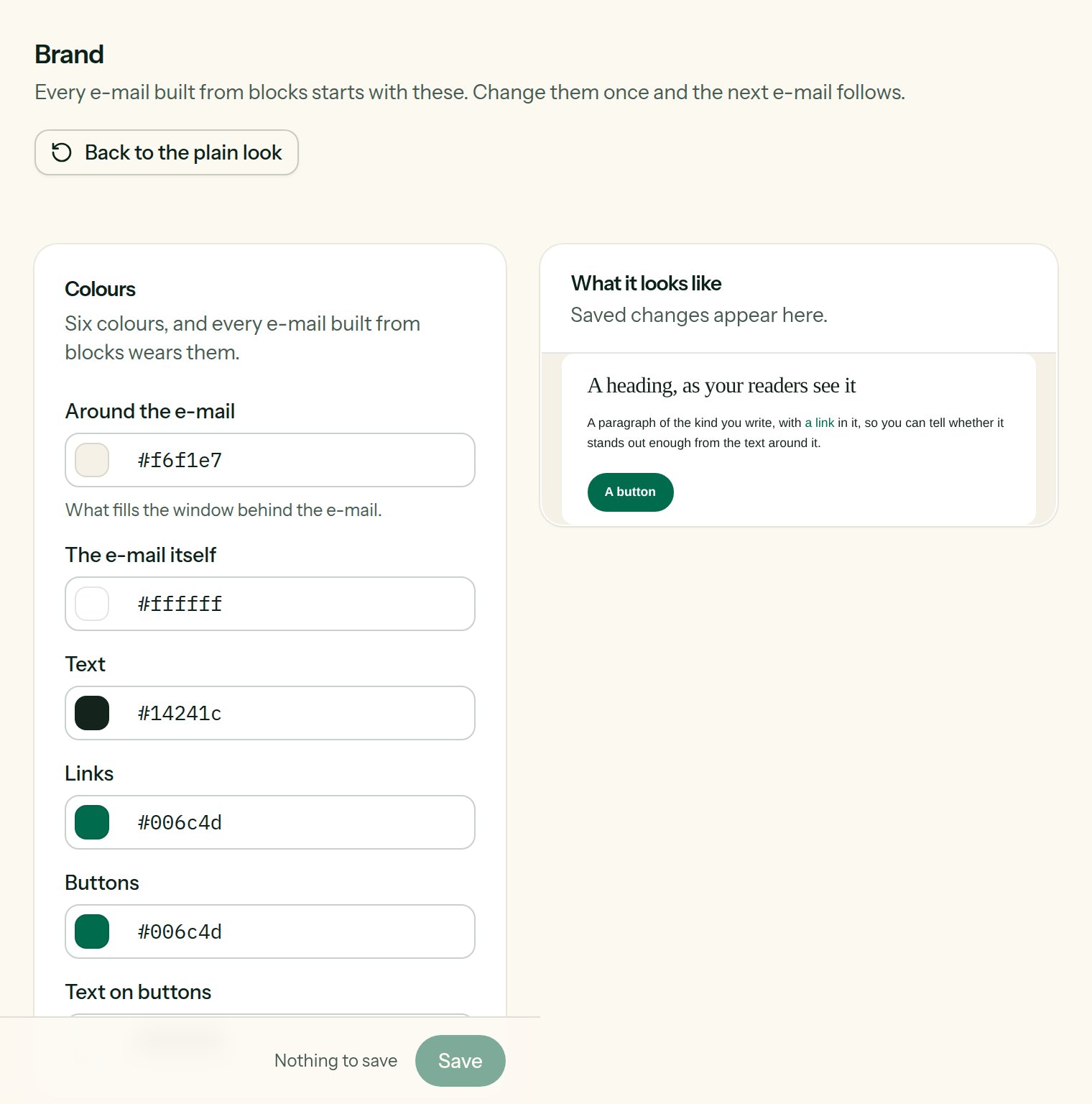
Settings → Brand. Every e-mail made of blocks starts from these settings; change them once and the next e-mails follow. The public pages (subscribing, unsubscribing, preferences) also take the button colour, the corner radius and the logo.
The brand settings

The brand and its preview, rendered live by the sending engine.

Colours

Each colour is picked from the swatch or typed in hexadecimal (#E44A08).
Check the contrast between Buttons and Text on buttons: the Check for readers tool flags text that is too pale.

Type

Body and Headings: only typefaces already installed on the reader’s machine (system, Georgia, Helvetica, Verdana, Courier), so that no mailbox swaps the typeface for another. Same as the body puts the headings on the body typeface.

Shapes

  • Corner radius of the buttons, from 0 to 32 pixels;
  • E-mail width, from 320 to 900 pixels (600 is the usual choice).
Upload the logo to the media library (the Images button of an editor), copy its address, paste it into Address of the image and set its width (40 to 600 pixels).

The preview

On the right, a small e-mail rendered with your settings. It follows the form live, before you even save; the line “Follows the form; save to keep it.” is a reminder that nothing is written until you do. Back to the plain look puts the original values back into the form.

What about e-mails that already exist?

An e-mail can always overrule the brand: the Style panel of the block editor sets its own colours. The HTML and MJML editors do not use the brand at all, since the layout is yours.