

Where events come from
- The API:
POST /v1/events, one event or a batch of up to 1,000. See Events through the API. - A connector: the WordPress plugin reports WooCommerce orders and abandoned baskets; n8n and Zapier have a “record an event” action. See Connectors.
order, cart.abandoned, trial.started), optional properties (the items, a link, a total), an optional value with its currency, and an optional reference of yours: the same reference sent twice is recorded once.
The person does not have to be a subscriber yet. The event is kept under their address and joins their profile the day they subscribe.
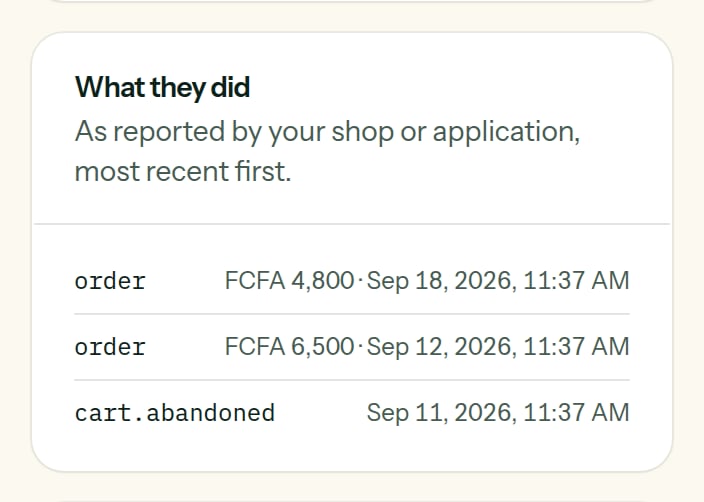
What a customer did, on her record: two orders and a basket left behind.
Two names that mean something
Every other name is yours.
What you can do with events
Start an automation
The trigger The person does something: each time the event is reported, the person enters.
Build a segment
The condition Something the person did: ordered in the last 30 days, never ordered, ordered at least five times.
Write with it
{{ event.total }}, {% for item in event.items %} in the e-mails of the automation the event started.See it
A subscriber’s record shows what the person did, most recent first, across all their lists.