

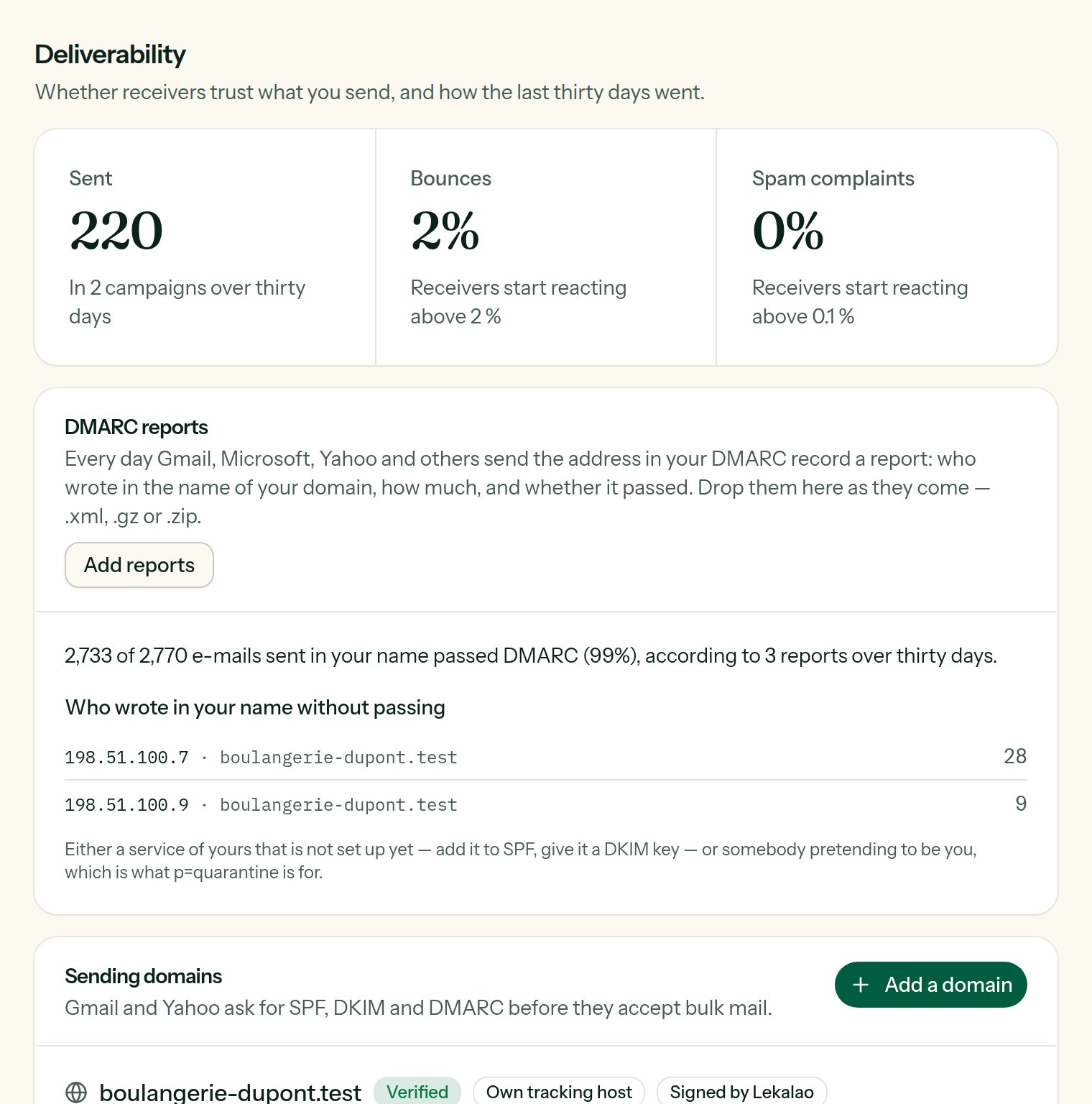
The rates of the last thirty days, and the state of a domain's DNS records.
The rates of the last thirty days
A card in red is a serious warning: see Sending safety.
If the organisation’s postal address is missing, a banner says so: the law asks for one in every marketing e-mail.
Add a domain
Add a domain:text
required
The domain of your sender address:
dupont-bakery.example for
hello@dupont-bakery.example.provider
Amazon SES, Postmark, Mailgun, SendGrid, Brevo or Resend: Lekalao works
out the SPF record from it. I will write SPF myself when you go through
SMTP or several providers.
up to 5
The records your provider gives you when you add the domain there (SES
gives three, as CNAMEs; Postmark one, as TXT). Copy the host, the type and
the value of each, exactly as they are.
subdomain
Optional,
click.dupont-bakery.example for example. See below.e-mail
Optional: the address that will receive the aggregated DMARC reports (
rua).Publishing the records
The domain appears with the table of records to create at your DNS host, each with a Copy button:DMARC starts at
p=none: mailboxes send you reports without blocking
anything. Once the reports have been clean for a few weeks, move to
p=quarantine, then p=reject, at your DNS host.Checking
Lekalao checks every domain every night, and on demand with Check again (DNS takes anything from a few minutes to a few hours to spread). Each record has a state:
The domain is Verified when SPF, DKIM and DMARC are in place or not used; otherwise it shows Records missing.
Signing with Lekalao
Amazon SES, Postmark and the others sign what they are handed (DKIM). A plain SMTP relay — your own Postfix, your host’s — often does not, and Gmail and Yahoo no longer take unsigned mail in volume. On the domain, Sign with Lekalao creates a key: the private half stays in the installation, encrypted; the public half is a TXT record that appears with the others (lekalao20261001._domainkey…). Publish it, then Check again. Once the record is found, the domain wears a Signed by Lekalao badge and everything sent from it through an SMTP mailer is signed — the one-click unsubscribe headers included, which Gmail only honours when DKIM covers them.
Nothing is signed before the record is found: a signature nobody can check serves nobody. New DKIM key replaces it, under a new name, so the old record may stay in the DNS a few days while e-mails already sent are being checked.
DMARC: the policy, and the reports
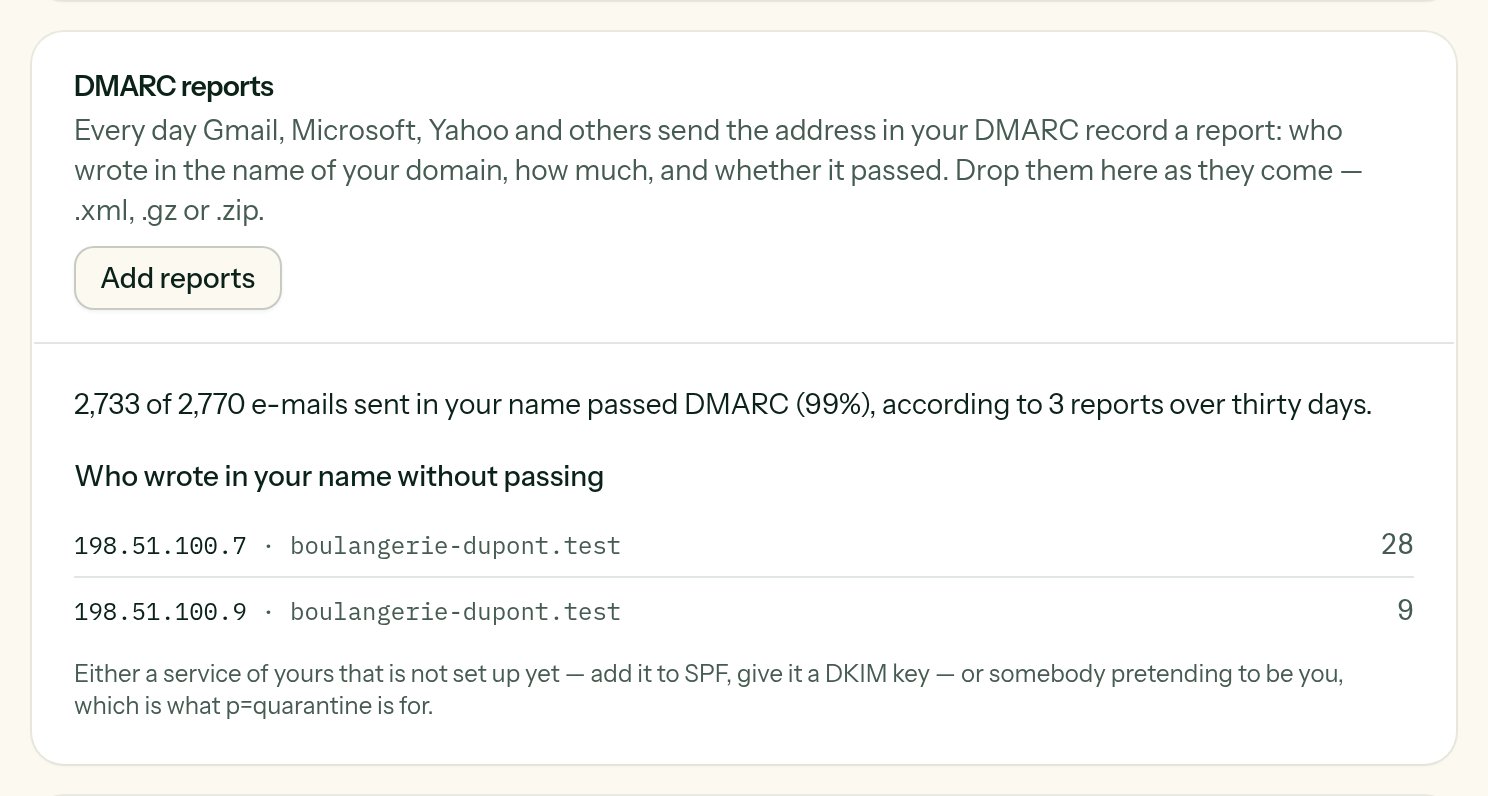
Three reports read: what passed, and who wrote in the name of the domain without passing.
DMARC reports. Every day Gmail, Microsoft, Yahoo and others send the address after
rua=mailto: in your DMARC record a report: who wrote in the name of your domain, how much, and whether it passed. They are XML nobody reads. Drop them on Add reports as they come — .xml, .gz or .zip, fifty at a time — and Lekalao shows, over thirty days, how many e-mails passed and the sources that failed, by IP address: a forgotten tool sending in your name, or somebody pretending to be you. The same report dropped twice counts once.
The tracking host
By default, tracked links and the open pixel go through your Lekalao’s own address. With a verified tracking host (aCNAME to your Lekalao), they go through your subdomain: your links carry your name, and spam filters do not tie your reputation to other senders’. The first domain you add becomes the default tracking host.
A shared installation
When the installation holds several customers (LEKALAO_REQUIRE_VERIFIED_DOMAIN=true), the sender address of campaigns, transactional e-mails and the SMTP relay must belong to a domain the team added and verified. Lekalao’s service works that way.