

The Delivery tab
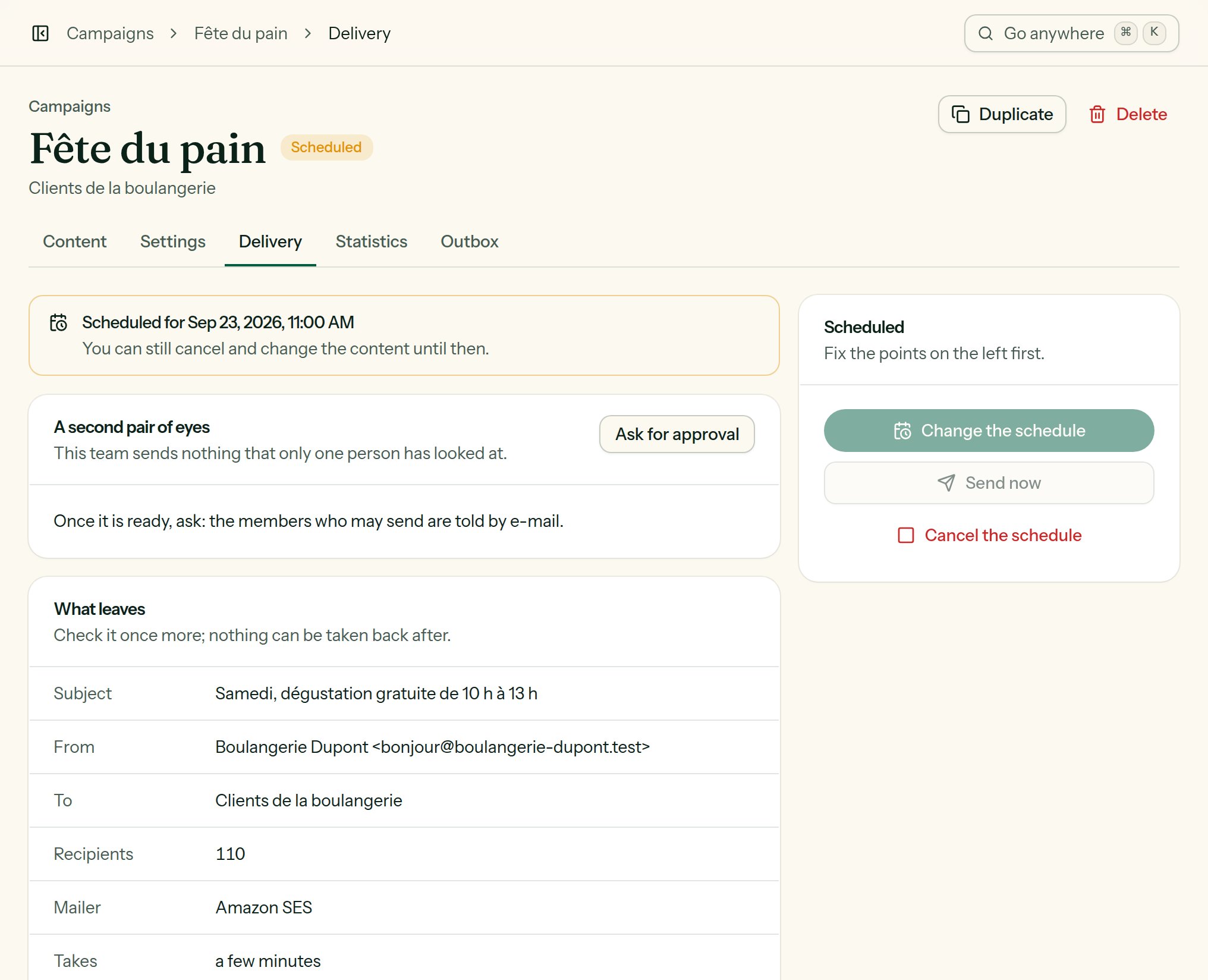
The summary before sending, and the main action for the current state.
Sending summary
The Sending summary block, to read once more: Subject, From, To (list and segment), Recipients (the exact number), Mailer and how long it takes at the provider’s pace. Anything missing is flagged in orange.Ready or not
Under the summary, Lekalao says whether the campaign may go, or lists what to sort out first. Each line carries the link that settles it: the settings, the content, the mailers, the general settings. Two of them are settled on the spot, with Add the footer, which writes the unsubscribe link and your postal address into the content.
While a point is left, Send now and Schedule stay greyed out, and say on themselves how many points of the checklist are to fix first.
A new campaign already carries that footer: the unsubscribe link and
{{ organisation.address }}, at the end of its content. Delete it and the
campaign cannot leave, since the law asks for both.Who may send
Sending is a right of its own. A member whose role is Writer prepares the campaign and sees the Send now button greyed out: an Owner or an Editor sends it. See Team and roles.A second pair of eyes
In a team that asks for it (see Rules of the team), a campaign leaves — by the button, by the schedule or through the API — only once somebody other than the person who asked has approved it.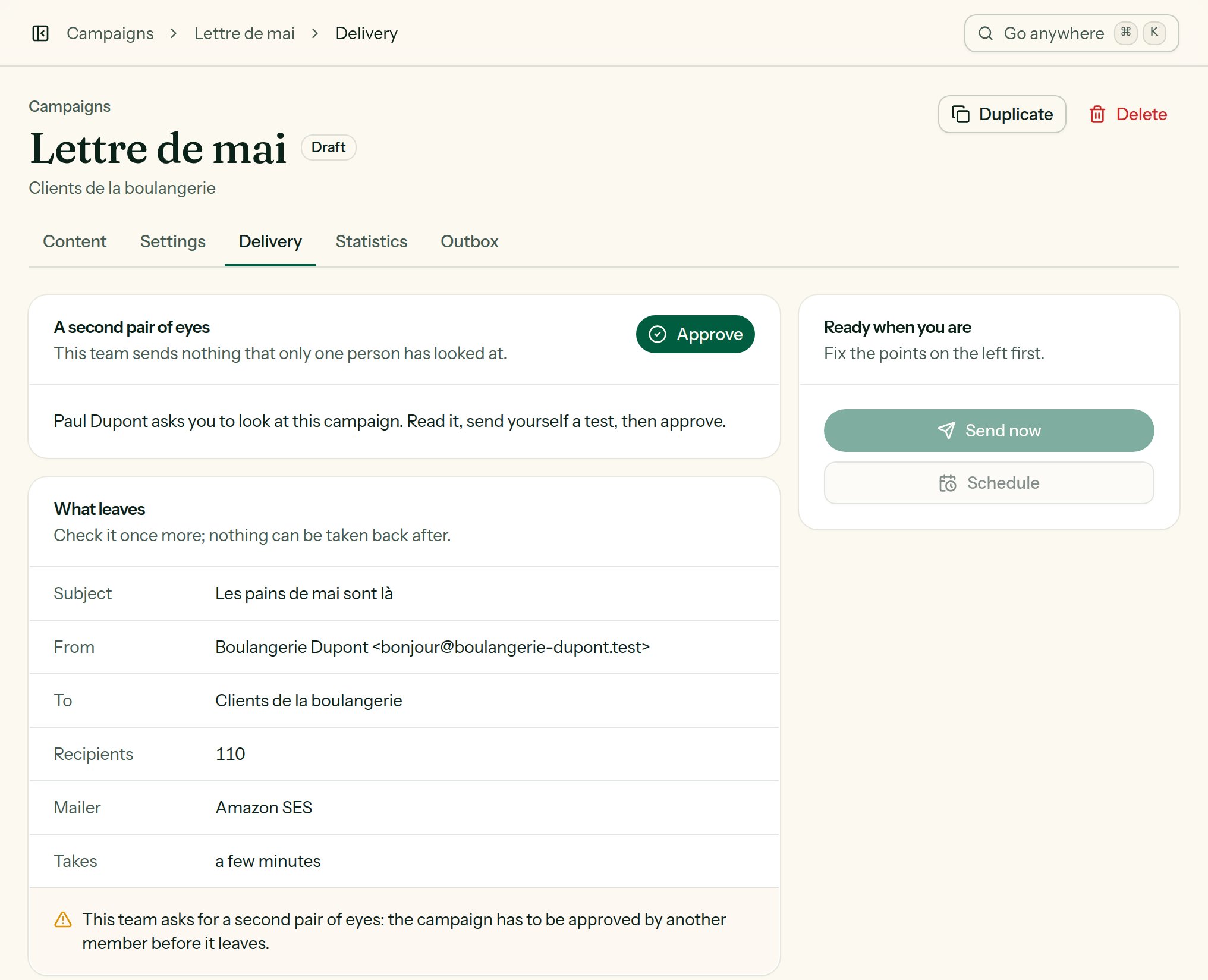
Paul asked; Marie, who may send, is offered to approve. Until then the campaign does not leave.
1
Ask for approval
When the campaign is ready. The members who may send are told by e-mail.
2
Approve
Another member who may send reads it, sends themselves a test, and clicks Approve. Nobody approves what they asked for themselves. The person who asked is told by e-mail.
3
Send, or schedule
As long as nothing changes. The approval is of this campaign: change the subject, the content, a translation, a version of an A/B test, the list, the segment or the sender, and it has to be looked at again.
Send now
Send now asks for a confirmation (“It goes to N people. E-mails already sent cannot be taken back.”). The campaign moves to sending:- one e-mail is prepared for each recipient, never twice for the same person;
- the e-mails leave through the queue, at the provider’s pace, following the spreading, the local hour and the list’s sending hours;
- the big mailboxes are treated gently: Lekalao limits how many go each minute to Gmail, Outlook, Yahoo, Orange and the rest;
- each e-mail is rendered at the last moment, in the subscriber’s language, with their variables.
Schedule
Schedule: a date and a time, in your own time zone. The dialog says which one: “In your time zone: Africa/Douala (UTC+01:00).” A moment already past is refused: “Choose a moment in the future.” The campaign becomes scheduled and leaves on its own at that moment. The page says it in the zone it was chosen in, “Scheduled for 5 Nov 2026, 11:00 · Africa/Douala”, and a teammate elsewhere reads below it “That is … for you.” While it is scheduled, you may:- Change the schedule;
- Send now;
- Cancel the schedule: it becomes a draft you can edit again.
Blocked
A scheduled campaign can stop being ready: an approval undone by a last change, a mailer removed, the month’s e-mails spent, the footer deleted. Lekalao looks at every campaign due within the hour — every ten minutes, then every minute once its moment has come. One that would be turned back is marked Blocked:- in the list of campaigns, with the first reason under its name, and a Blocked filter of its own;
- on each of its pages, a banner, “Blocked: it will not leave at …”, then “Blocked: it did not leave at …”, lists what stops it, each point with the place where it is settled.
While it sends
Paused on its own
Lekalao watches the bounces and the complaints while it sends. Past the thresholds (by default, after 500 e-mails: more than 0.1 % complaints with at least 3 of them, or more than 5 % bounces with at least 10), the campaign pauses itself, the reason appears in red, and an e-mail warns whoever created the campaign and the recipients of the list summary (failing them, the team’s owners). See Sending safety.Sends that got stuck
If the workers stopped, the e-mails that have waited too long are queued again every ten minutes. The Maintenance page flags a campaign that has been sending for more than six hours.After the send
The campaign becomes sent. A summary goes by e-mail to whoever created it and to the recipients of the list summary, with the first figures. The outgoing webhooks receive thecampaign.sent event.
To send the same content again: Duplicate, then adjust it (onto a “did not open” segment, say).