

Create a field
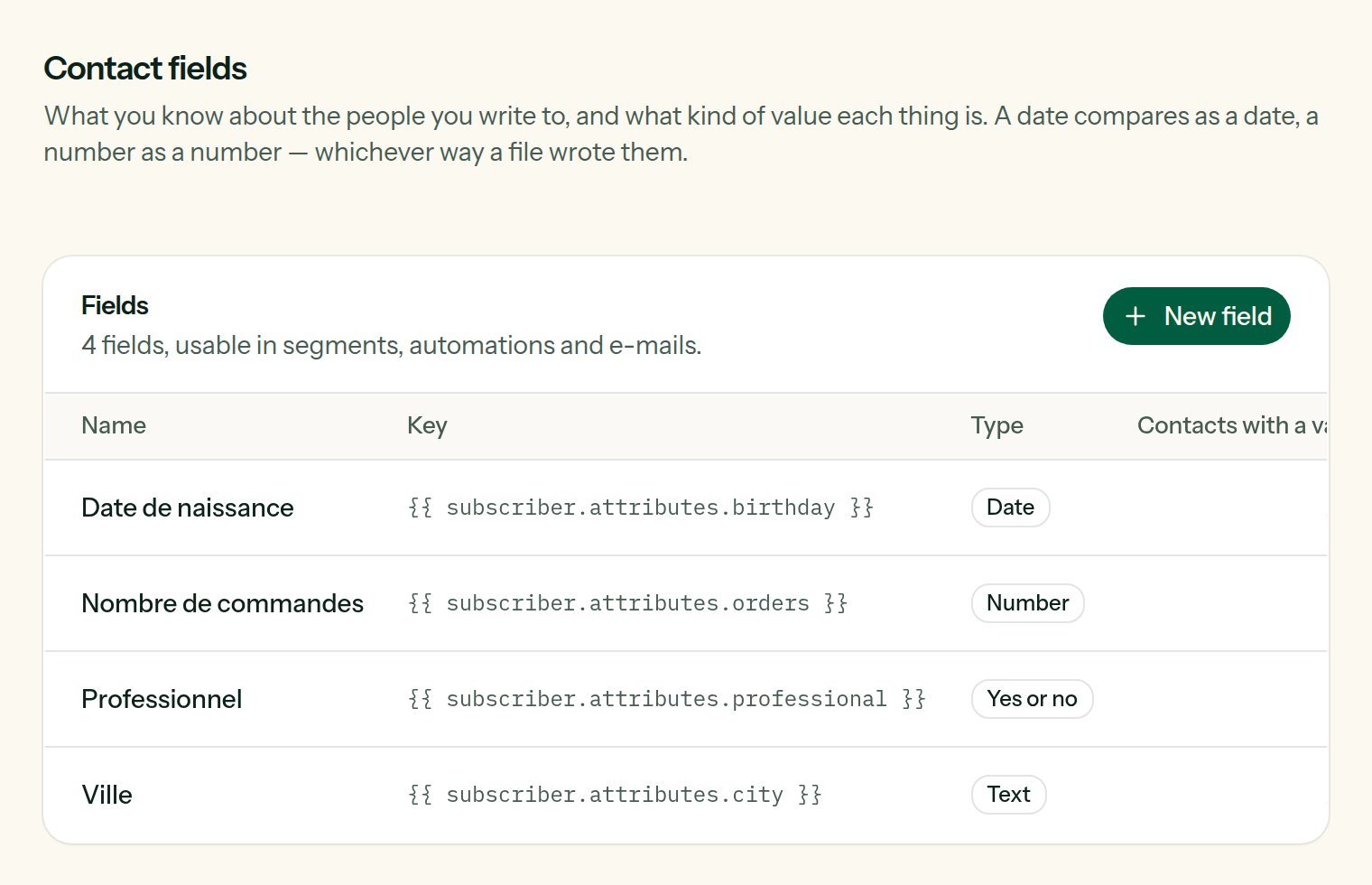
The fields of the team, each with its key and its type.
text
required
What people see: in the import screen, the segment builder, the sign-up page.
letters, numbers, . _ -
required
What templates and the API call it:
{{ subscriber.attributes.birthday }}. It never changes afterwards.Text, Number, Date, Yes or no
required
How values are kept and compared.
A value that cannot be read as its type — “soon” in a date — is not lost: it is kept as it was given, and simply matches no comparison of that type. Dates are read in the usual forms (
2026-05-12, 12/05/2026) and kept as 2026-05-12.
Change the type
Changing a field from Text to Date rewrites, in the background, what every contact holds under that key into the new shape. A value that cannot be read as the new type is left as it was. The Contacts with a value column says how many people the field is known for.Remove a field
The field is no longer offered in forms, imports and segments. What contacts hold under its key is kept: create the field again and the values are there.Where fields are used
- Imports: a column of your file is matched to a field. See Import and export.
- The sign-up page: you choose which fields it asks. See Pages and pop-up.
- Segments: “birthday is before…”, “orders is greater than 3”. See Segments.
- E-mails:
{{ subscriber.attributes.plan }}. See Personalization. - The API:
attributeson a subscriber, and/v1/fieldsto manage the fields themselves.